Why do you need a cash register? A VUK507-approved Android POS is enough.
A separate cash register, a separate POS, a separate roll… One device instead of them all. Take your payment and print your fiscal receipt with a VUK507-approved Android POS. And the device is free…
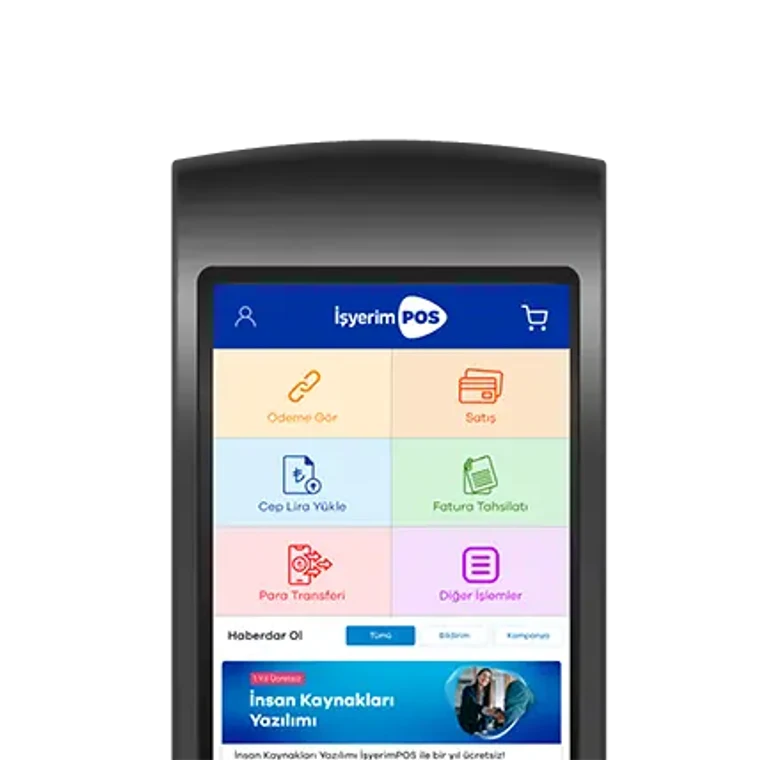
VUK507-approved Android POS free. Don't pay for a Cash Register POS; your device is free with İşyerimPOS.
Payment and Fiscal Receipt in a Single Device
With General Communiqué No. VUK 507, the payment (POS) and fiscal receipt (ÖKC) functions were combined in one device. Instead of two devices, two rolls and two maintenance processes at the till, a single Android device is enough.
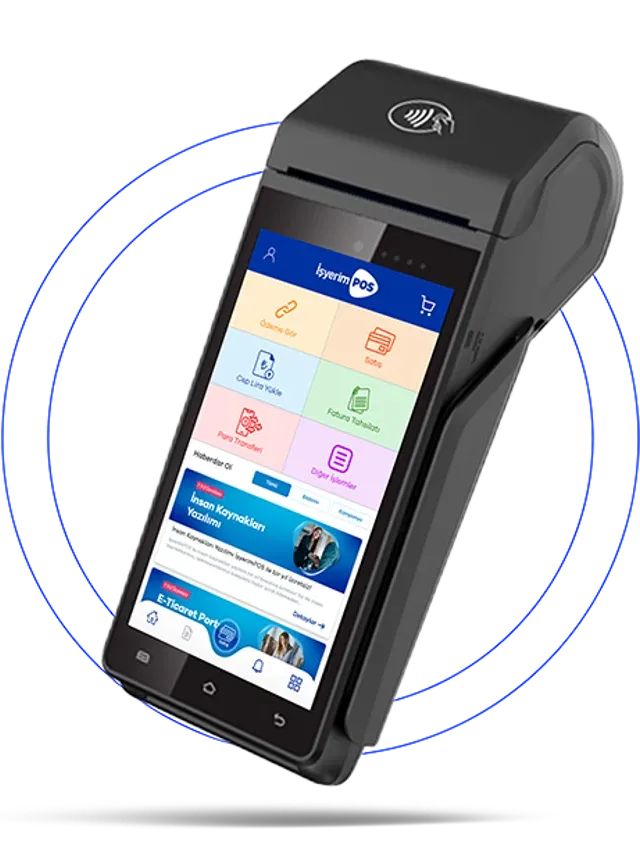
- No external cash register neededWith the VUK507 feature you can sell without keeping a separate ÖKC.
- One device, one till spaceThe trouble of two devices, two cables and two rolls at the till ends; you free up space on the counter.
- At the door, at the table, at the tillWith its long battery life you can use the device anywhere in your business.
- Contactless and QR paymentYou can accept contactless payments with NFC and also collect payments with a QR code.
- Extra income with bill collectionWith the free bill collection module on the device you can increase both your customer numbers and your profitability.
- Instalments with all card brandsYou can make instalment sales with all card brands and benefit from bank campaigns.
- Fraud management
- Free money transfers
- Cash withdrawal at 6,000+ points
- Continuous support from expert teams
- Payments in your account the next day





Make a Difference with Cash Register POS
Payment, fiscal receipt and the sales application on one device; plus new customers through bill collection.
- No external cash register required thanks to the VUK 507 feature.
- Payment and fiscal receipt coming from the same device.
- The ability to offer instalments with all card brands.
- Contactless payment via NFC and payment by QR code.
- Extra income with the free bill collection module.
- Use at the door, at the table and at the till thanks to long battery life.
- Ability to retrieve account movements via API.
- Next-day or deferred settlement options.
- No membership fees and no surprise charges.
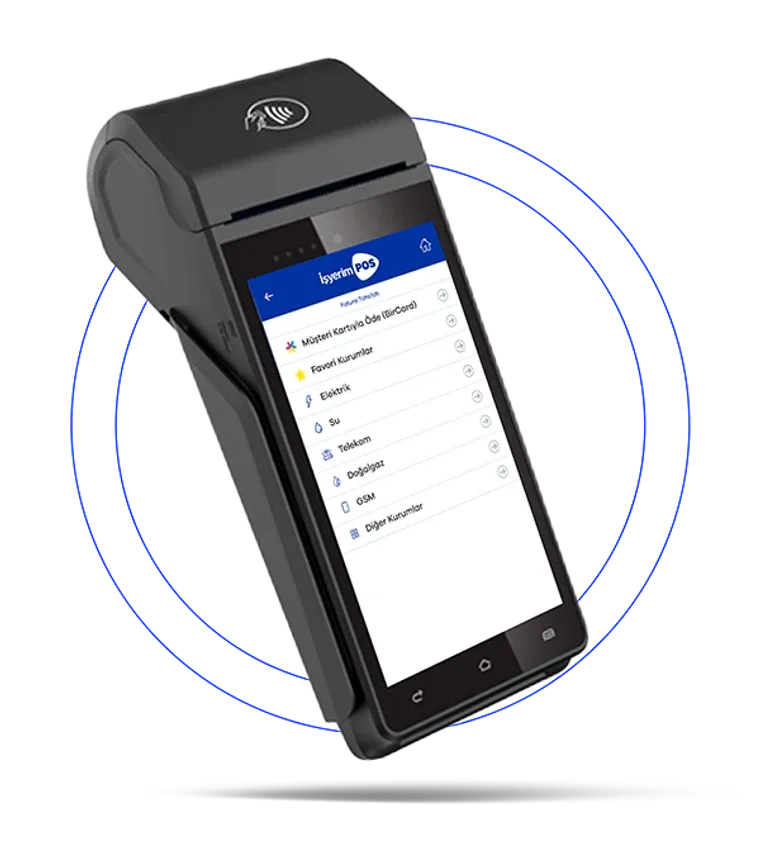
The Extra Business Models You Are Looking For Are Also in İşyerimPOS Cash Register POS
The device does not only take payments; it brings new customers and new revenue streams to your business.
- Bill collection for 460+ institutionsCollect electricity, water, natural gas, phone, internet and TV bills from the device.
- Package and top-up loadsTop up credit and packages for all operators' prepaid lines.
- Game pin and digital code salesWin new customers by selling game pins and digital codes instantly.
- Subscription transactionsStart subscription applications for partner institutions from your workplace.
…and many more products and services. See the institutions you can pay
What You Need to Know About the Cash Register (ÖKC)
What is a payment recording device, how many types are there, who has to use one and what does it cost? We have summarised it under four headings.
What is a cash register (ÖKC)?
ÖKC is Payment Recording Devicethe abbreviation of; people commonly call it yazarkasa It is the device that produces the fiscal document (receipt) of a sale.
With General Communiqué No. VUK 507, the payment (POS) and fiscal receipt (ÖKC) functions could be combined in one device; an Android POS with this feature removes the need for a separate cash register.
Types of cash register
- Basic-level ÖKC: it only produces the fiscal receipt; the card payment is taken on a separate POS.
- New-generation ÖKC with EFT-POS: payment and fiscal receipt are combined in the same device.
- VUK507-approved Android POS: touchscreen, sales application, contactless and QR payment; at the door, at the table, in the field.
Who has to use a cash register?
Taxpayers engaged in retail sales and services are obliged to document their sales with a payment recording device. Markets, cafés, restaurants, hairdressers, pharmacies, clothing shops and similar businesses are in this scope.
Clarify with your accountant how the obligation applies to your business; let us provide the solution on the device side.
How much do cash registers cost?
In the classic setup, the cost of the device, a second POS device, separate rolls and maintenance stays with the business.
There are no membership fees or surprise charges; the commission rate is agreed in the meeting according to your sector and transaction volume.
With İşyerimPOS your VUK507-approved device is free!
Cash Register + POS, or a Single Device?
What changes when you work with one device instead of two separate ones?
| Subject | Cash register + separate POS | VUK507-approved Android POS |
|---|---|---|
| Number of devices at the till | Cash register (ÖKC) + separate bank POS | One device: VUK507-approved Android POS |
| Payment and fiscal receipt | On two separate devices, in two separate steps | On the same device, in a single step |
| Portability | Works tied to the till | Can be used at the door, at the table and in the field |
| Extra income | Yok | New customers and income with the bill collection menu |
| Card campaigns | Varies by bank | Automatic access to banks' campaigns |
| Consumables and maintenance | Separate rolls and maintenance for two devices | One device, one maintenance process |
Number of devices at the till
Cash register + POS: Cash register (ÖKC) + separate bank POS
Single device: One device: VUK507-approved Android POS
Payment and fiscal receipt
Cash register + POS: On two separate devices, in two separate steps
Single device: On the same device, in a single step
Portability
Cash register + POS: Works tied to the till
Single device: Can be used at the door, at the table and in the field
Extra income
Cash register + POS: Yok
Single device: New customers and income with the bill collection menu
Card campaigns
Cash register + POS: Varies by bank
Single device: Automatic access to banks' campaigns
Consumables and maintenance
Cash register + POS: Separate rolls and maintenance for two devices
Single device: One device, one maintenance process
Sector-Specific Cash Register POS Solutions
From pharmacies to hairdressers, from markets to taxis, every business model has its own application; the device is the same, the menus are set up for your work.
Whichever Cash Register You Use
Whatever brand the device at your till is, you can switch to a VUK507-approved Android POS. We listen to your current setup and plan the transition together, to suit your business.
What's more, the VUK507-approved Android POS is free with İşyerimPOS.
Request a Quote- 1
Leave your application
Share your business details; our team will call you and listen to your current setup.
- 2
Let's determine your needs
Let's decide together on the device and terms that suit your sector, transaction volume and till layout.
- 3
Let the setup be done
Your device is configured and the sales and collection menus are set up for your workplace.
- 4
Work with a single device
Start running payment, fiscal receipt and bill collection from the same device.
Frequently Asked Questions About Cash Register POS
They are the same thing. ÖKC is the abbreviation of "Payment Recording Device"; people commonly call it a cash register. It is the device that produces the fiscal document (receipt) of the sale.
It is a payment recording device that can also take card payments and communicate with the bank. In EFT-POS models, payment and fiscal receipt are combined in the same device.
It is possible on devices covered by Communiqué No. VUK 507 that carry both the payment and fiscal receipt functions. We recommend clarifying the details of your obligation with your accountant; we handle the device side.
With İşyerimPOS the VUK507-approved Android POS device is free; there are no membership fees or surprise charges. The commission rate is agreed in the meeting according to your sector and transaction volume.
Taxpayers engaged in retail sales and services are obliged to document their sales with a payment recording device. Businesses selling to end consumers — markets, cafés, restaurants, hairdressers, pharmacies, clothing shops, hardware stores — are in this scope.
Closing or transferring the device you currently use is handled through your accountant and the company that owns the device. We take care of installing and configuring the new device.
General Communiqué No. 507 of the Tax Procedure Law is the regulation allowing the payment (POS) and fiscal receipt (payment recording device) functions to be combined in a single device. With such devices you do not need a separate cash register.
A VUK507-capable Android POS produces the payment and the fiscal receipt on the same device, so you can sell without keeping a separate cash register (ÖKC).
You can switch. The device at your till may be Arçelik/Beko, Hugin, Ingenico, Mikrosaray, inPOS, Olivetti (Verifone), Paygo, Profilo (Propay) or Vera; whichever it is, switching to a VUK507-approved Android POS is possible.
You enter the sale amount on the device; the card payment is taken and the fiscal receipt is printed from the same device's printer. You do not need to enter the amount on two separate devices.
Yes. You can enter a cash sale on the device and print its fiscal receipt.
You can. With the free bill collection module on the device you can collect water, electricity, natural gas, mobile and internet bills; you can also sell your own products to customers who come to pay a bill.
You can make instalment sales with all card brands and benefit from banks' seasonal card campaigns.
Thanks to the long battery life you can use it at the door, at the table and in the field; you are not tied to the till by a cable.
There are no membership fees or surprise charges. The commission rate is agreed in the meeting according to your sector, transaction volume and the chosen solution.
As a rule, collections are transferred to your account the next business day; if it suits your business, a value-dated arrangement can also be considered.
Our Other POS Solutions
- Virtual POS Accept credit and debit card payments securely on your e-commerce site; the infrastructure integrates easily into your website.
- Android POS Manage payments and business operations easily from a single device.
- Mobile POS Turn your smartphone into a POS device and accept payments anywhere.
- Payment Link POS Make remote sales and collect payments with a single payment link.
- Physical POS Offer a safe, fast and uninterrupted card payment experience at your business.
- Fast POS Apply in a short time and start accepting card payments quickly.
- POS Solutions by Industry POS solutions tailored to sectors such as pharmacies, hair salons, markets, taxis, tow trucks and building management.
- API POS Integrate your payment infrastructure easily into your website, mobile app or custom software.
Create your account in a few steps.
You can create your Faturamatik Wallet account in a few steps and start using it right away.



QR Code
Scan, Download